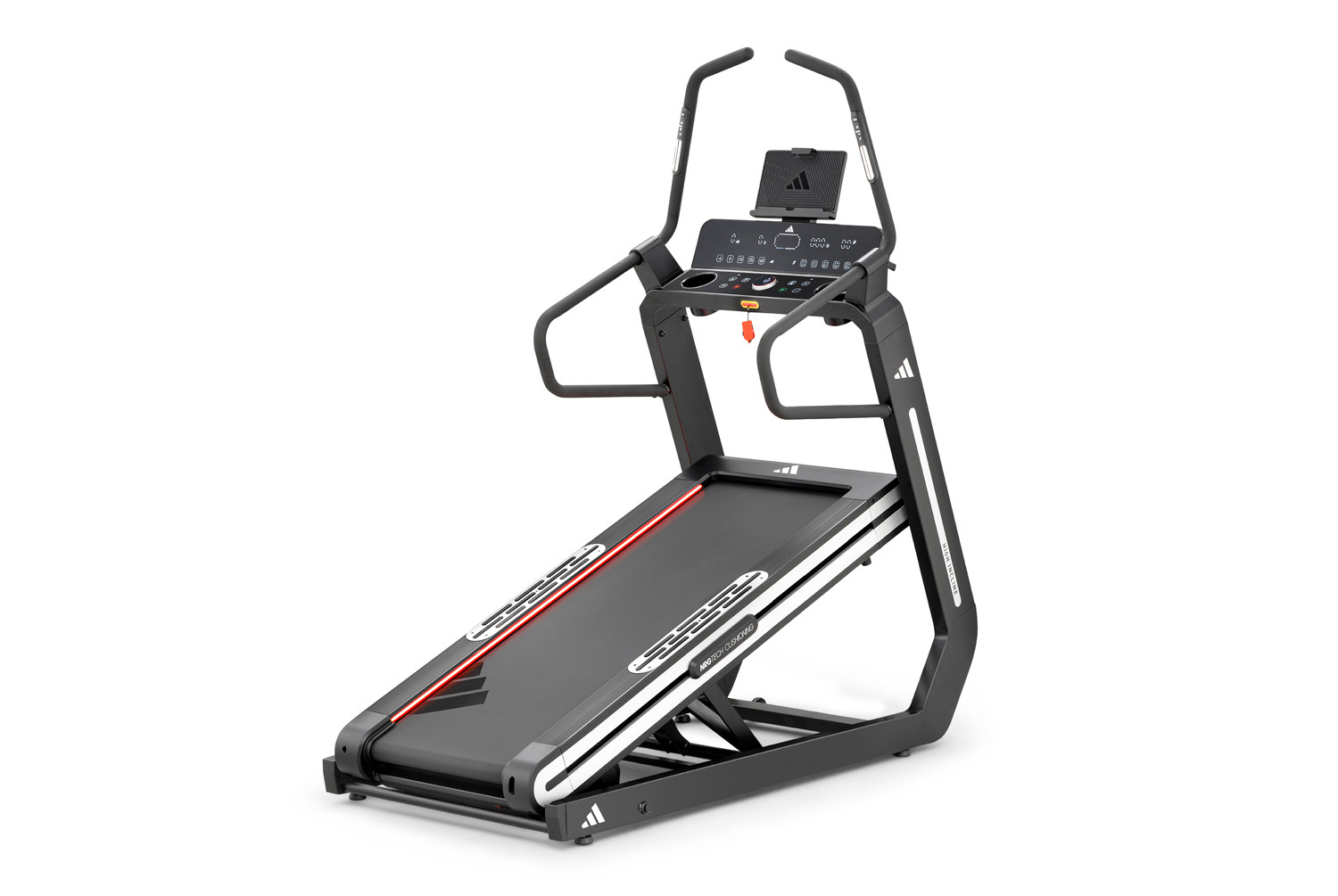
The adidas T-800 High Incline treadmill is a confirmed QZ compatibility case. QZ connects through the treadmill’s FTMS Bluetooth workflow and can bridge the treadmill to modern training, workout-recording and health ecosystems. The important headline is the range: the T-800 hardware is specified for -6% decline through +20% incline in Running Mode, and up to +40% incline in Climb Mode. QZ has also been tested with users for automatic grade handling across the extended range.[1] [3]

Table of Contents
The T-800 range: -6% to +40%
The official product specification separates the treadmill into two operating ranges:
- Running Mode: up to 22 km/h, with an elevation range from -6% decline to +20% incline.
- Climb Mode: up to 9 km/h, with incline reaching +40%.
That distinction matters when following a walk, hike or steep virtual route. The treadmill itself may require the appropriate operating mode as the requested grade crosses the Running Mode limit. The official specification also lists 36 running programmes and 6 climbing workouts, a 152 × 52 cm running area, NRG Tech cushioning and a 5 PHP brushless motor.[1] [2]
What users confirmed with QZ
The compatibility report is based on real user testing rather than only the product specification. A July 2026 user reported that FTMS connection, speed control, positive incline control and Zwift auto-incline worked on an Adidas T-800 High Incline treadmill. The same support exchange identified the console’s -6% decline capability; a later QZ test build patched the negative-incline path, and the user replied that it worked and then that the setup was working wonderfully.
A separate September support exchange confirmed a patch for using the complete -6% to +40% range during a walk or hike in Kinomap. The practical arrangement is two devices: QZ connects to the treadmill, while Kinomap runs on the second device and receives the QZ bridge output. This is a tested workflow, not a claim that every firmware revision, regional model or app version behaves identically.
| Capability | Evidence and scope |
|---|---|
| FTMS connection | Confirmed in the user setup through QZ’s Adidas treadmill path. |
| Speed control | Confirmed by the July user test. |
| Positive incline | Confirmed by the July user test; the physical treadmill still enforces its operating limits. |
| Negative incline / decline | Confirmed in the follow-up QZ test build for the tested treadmill setup; the hardware range is -6%. |
| Zwift auto-incline | Confirmed by the July user test through QZ. |
| Full -6% to +40% walk/hike workflow | Confirmed as a patched QZ workflow in the September support exchange; use a current build and test your own firmware. |
Zwift auto-incline and calibration
With QZ between the treadmill and Zwift, Zwift grade changes can be translated into treadmill incline commands. QZ also exposes gain and offset settings so that a particular treadmill reports the same grade that Zwift requests. User support logs show why calibration matters: one T-800 setup was receiving doubled values, while another test was halving values because the Zwift Inclination Gain was set to 0.5. The correct value can depend on the treadmill’s firmware and the observed behavior, so verify the displayed Zwift grade against the physical console before a long ride or hike.[3] [4]
For the climb range, do not treat +40% as a promise that every app will request or display every grade automatically. The treadmill’s Climb Mode, speed limit and QZ calibration all remain relevant. The confirmed result is that QZ can bridge the tested T-800 setup and the current patch can handle the extended range.
Garmin, Apple Health and Google Health Connect
QZ adds more than a Zwift connection. It can turn the treadmill session into a workout that can be recorded and exported through the configured health integrations:
- Garmin Connect: QZ can create and upload a FIT workout, and the integration guide documents Garmin/ANT+ bridge workflows where the device and adapter support them.[6]
- Apple Health / HealthKit: on Apple devices, QZ can write the completed treadmill workout to Apple Health through the HealthKit workout path and its workout-history upload flow.[9] [5]
- Google Health Connect: on Android, QZ can save the completed treadmill workout to Google Health Connect after the required permissions are granted.[7] [10]
- Strava and other exports: QZ supports configured workout uploads and recording workflows; availability depends on the platform, permissions and account settings.[5]
More QZ features for the T-800
- Virtual FTMS treadmill: QZ can bridge treadmill data to compatible apps that discover the QZ virtual device.
- Kinomap: the tested patch allows the T-800’s extended -6% to +40% range to be used in the reported walk/hike workflow, with QZ and Kinomap on separate devices.
- Training apps: Zwift, Kinomap and other compatible applications can use the relevant QZ treadmill output; app-specific subscriptions remain separate from QZ.[8]
- Workout files and routes: QZ supports route and workout workflows such as GPX, ZWO and XML where the selected platform and configuration support them.[5]
- Heart rate: Bluetooth, ANT+ and Apple Watch heart-rate sources can be combined with treadmill data for recording and analysis.[5]
- Automation: QZ includes configurable reports and integrations such as email, MQTT, Open Sound Control, text-to-speech, profiles and customizable dashboard tiles.[5]
A practical setup
- Install a current QZ build and allow Bluetooth access.
- Connect QZ to the Adidas treadmill and confirm that speed and grade data are visible.
- For Zwift, pair Zwift with the QZ virtual treadmill and test a small grade change before starting a route.
- For Kinomap’s extended walk/hike workflow, use a second device for Kinomap and the current QZ patch on the bridge device.
- Check the T-800 operating mode when moving beyond +20% and verify that the treadmill is ready for Climb Mode.
- Grant Apple Health or Google Health Connect permissions, or configure Garmin/Strava export, before stopping the first workout.
The short version
Adidas T-800 → QZ FTMS bridge → speed and automatic incline/decline → Zwift, Kinomap and compatible apps → Garmin, Apple Health, Google Health Connect, Strava and more. The treadmill’s published hardware range is -6% decline to +20% incline in Running Mode and up to +40% incline in Climb Mode. QZ makes that range useful across a broader software ecosystem, with the tested setup and firmware caveats described above.
Learn more at QZ Fitness and review the QZ supported applications.
Sources
- adidas Training: T-800 High Incline Treadmill — official range, speed, modes and hardware specifications.
- RFE International: adidas T-800 deep dive — manufacturer-group specification summary.
- QZ Adidas treadmill driver — Adidas FTMS treadmill connection and control path.
- QZ treadmill implementation — incline handling and calibration logic.
- QZ feature list — recording, apps, health, heart-rate and automation features.
- QZ integration FAQ — Garmin, ANT+, virtual-device and training-app workflows.
- QZ Android FAQ — Google Health Connect permissions and export workflow.
- QZ supported applications — compatible training-app scope.
- QZ HealthKit integration — Apple Health workout path.
- QZ Health Connect implementation — Android workout export implementation.